
Help Center
LinkeIQ helps you find leads and close more clients.
The Sales CRM
LinkeIQ gives you six distinct workspaces.
Each has a specific job:
1.) All Contacts: Reference & Search
2.) Prospects: Filtering & Qualification
3.) Pipeline: Conversations & Deals
4.) Clients: Revenue Tracking
5.) Watchlist: Authority Building
6.) Archive: Storage
📚 All Contacts
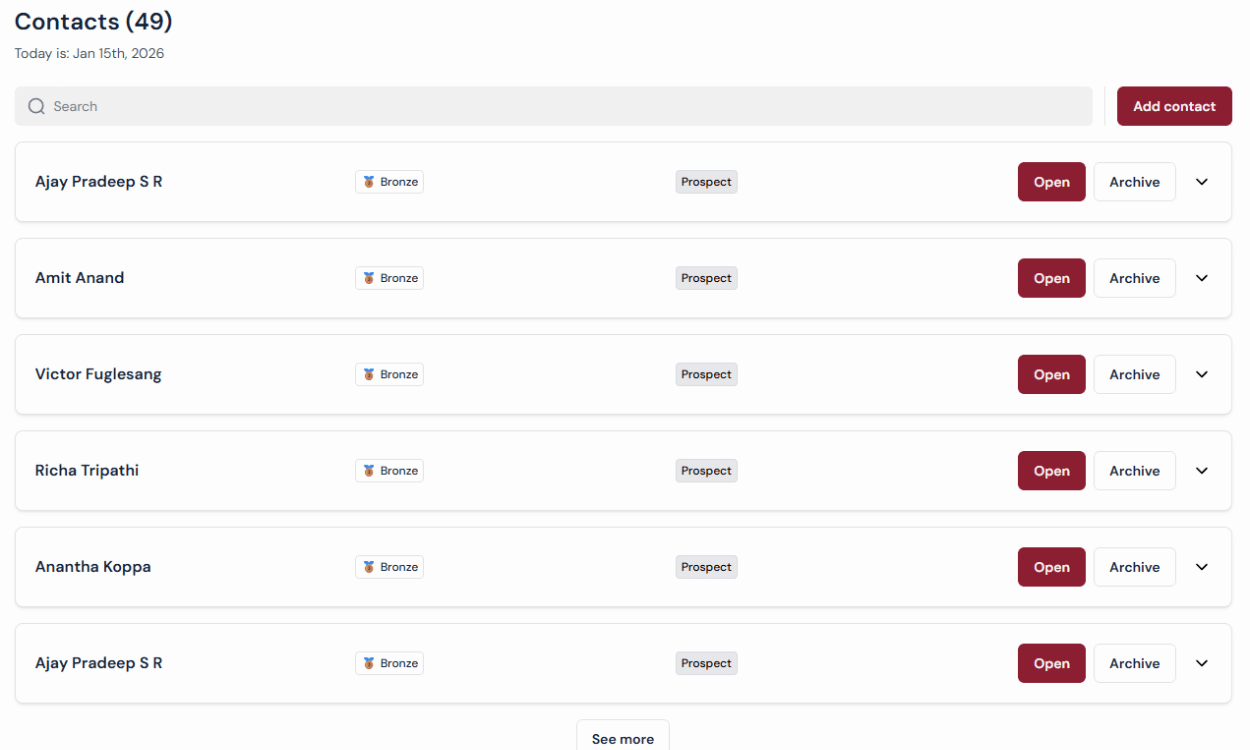
What it is:
→ Complete database of everyone
→ Searchable, filterable, read-only
→ Shows ALL contacts regardless of status
When to use:
→ Looking up past conversations
→ Viewing complete contact history
Features:
→ Search by name, company, notes
→ View all: prospects, leads, clients, archived
→ Full contact details available
🔍 PROSPECTS
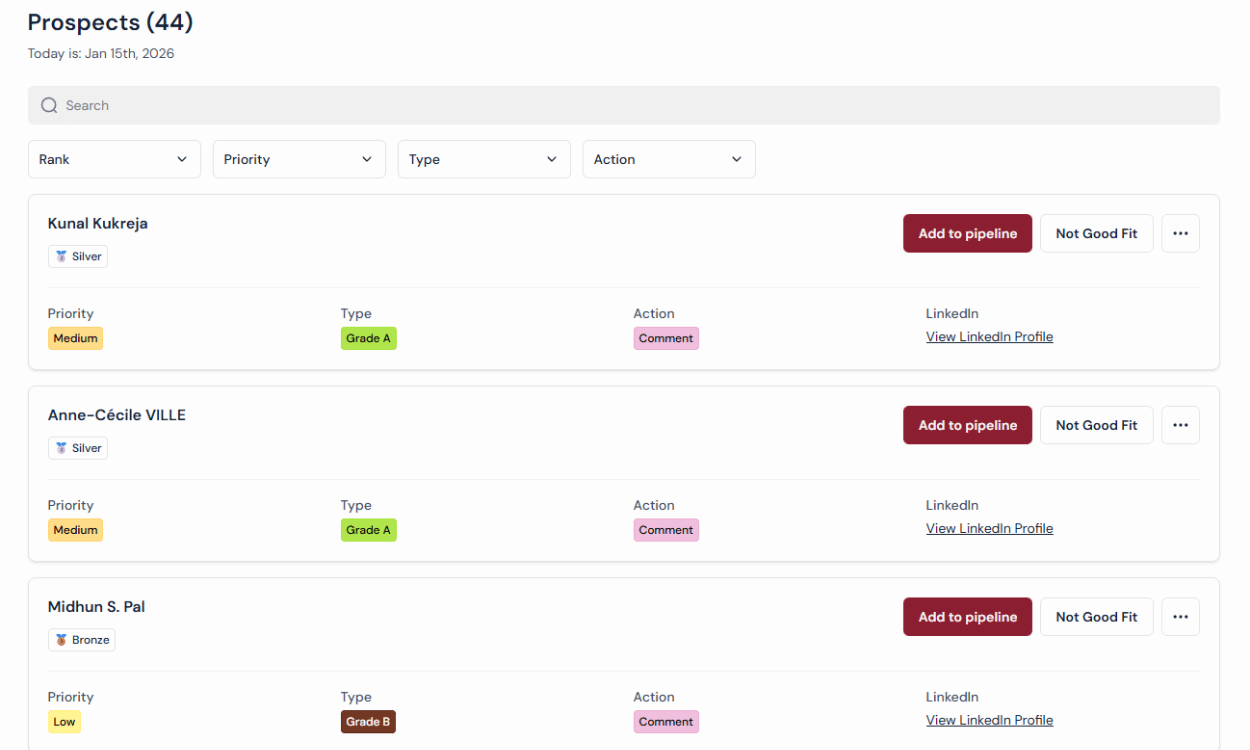
What it is:
→ Filtering workspace for NEW leads
→ Where you decide who to contact
When to use:
→ After LinkeIQ runs
→ Building your daily outreach list
→ Qualifying before contacting
The Workflow:
1. LinkeIQ adds 400 people
2. Apply filters (Rank, Type, Action)
3. Review matches
4. “Add to Pipeline” OR “Archive”
Power Filters:
→ Rank: Silver/Gold
→ Priority: High/Medium/Low
→ Type: Grade A/B/C
→ Action: Comment or Reaction
📈 PIPELINE
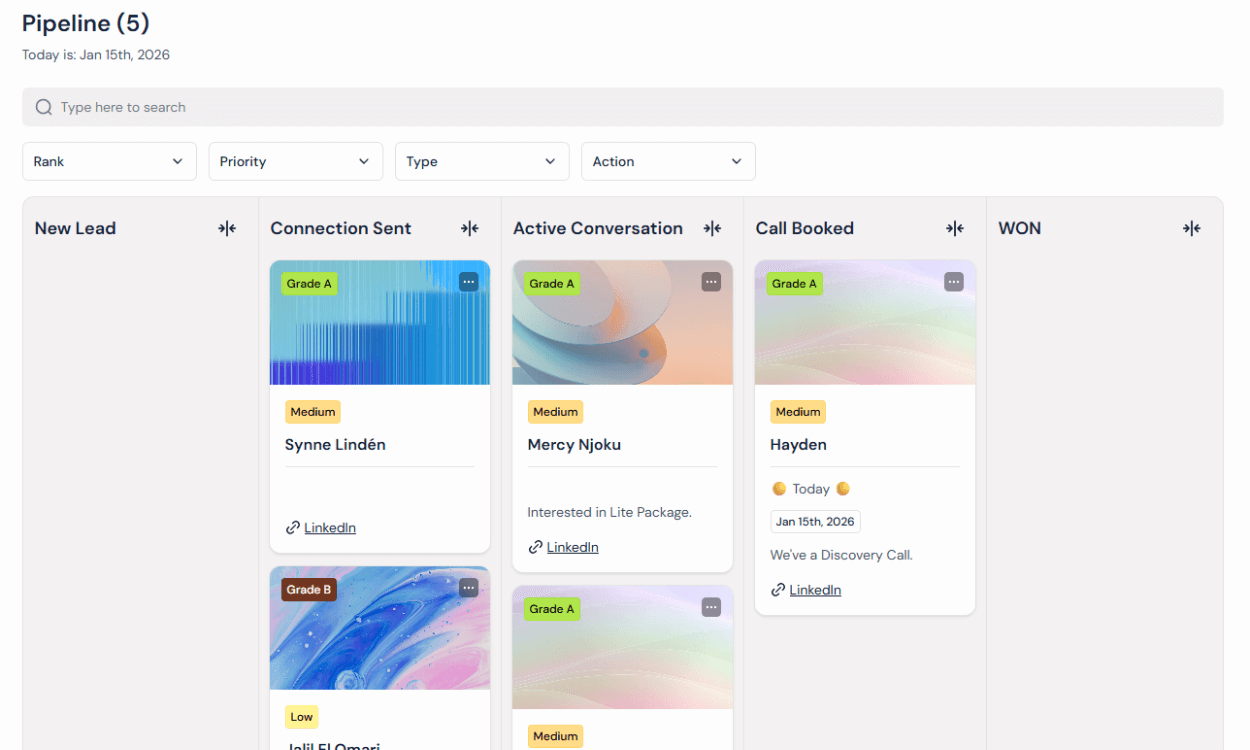
What it is:
→ Kanban board for ACTIVE leads
→ Manage ongoing conversations
→ Only qualified contacts you’re pursuing
Stages:
→ New Lead
→ Connection Sent
→ Active Conversation
→ Call Booked
→ WON (→ moves to Clients)
→ Not Good Fit (→ moves to Archive)
Features:
→ Tasks & follow-ups
→ Status tracking
→ Conversation notes
→ Full engagement history
💰 CLIENTS
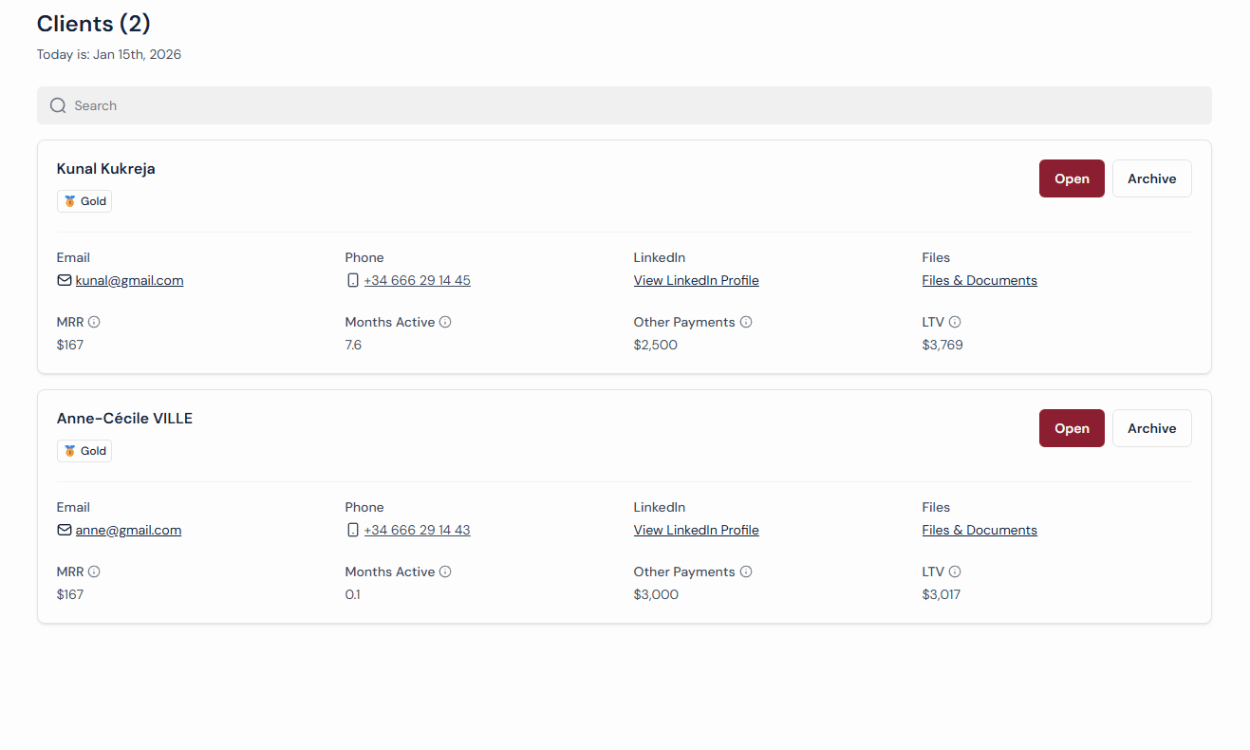
What it is:
→ All converted customers
→ Revenue tracking (MRR, LTV)
→ Loyalty management
Features:
→ MRR & LTV auto-calculated
→ Months active tracking
When to use:
→ Managing existing clients
→ Tracking revenue metrics
→ Monitoring client health
👁️ WATCHLIST
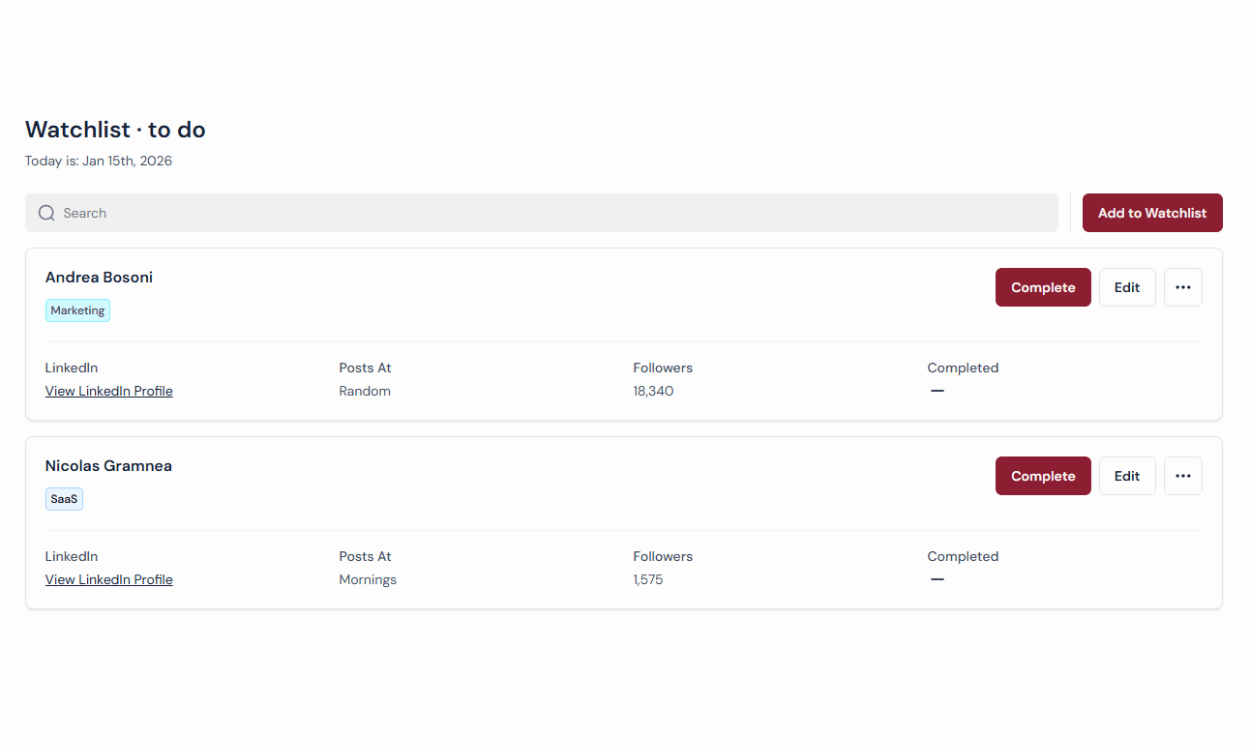
What it is:
→ 15-20 influencer profiles
→ Daily commenting targets
→ Builds visibility & authority
Why it matters:
→ Algorithm shows your profile to their audience
→ You become “familiar” before reaching out
→ Warms up Grade B leads organically
The Workflow:
1. Add 15-20 profiles to watchlist
2. Every day: Comment on 5 posts
3. Daily reset at midnight
Pro tip:
→ Mix competitors + industry influencers
→ Comment with VALUE, not spam
📦 ARCHIVE
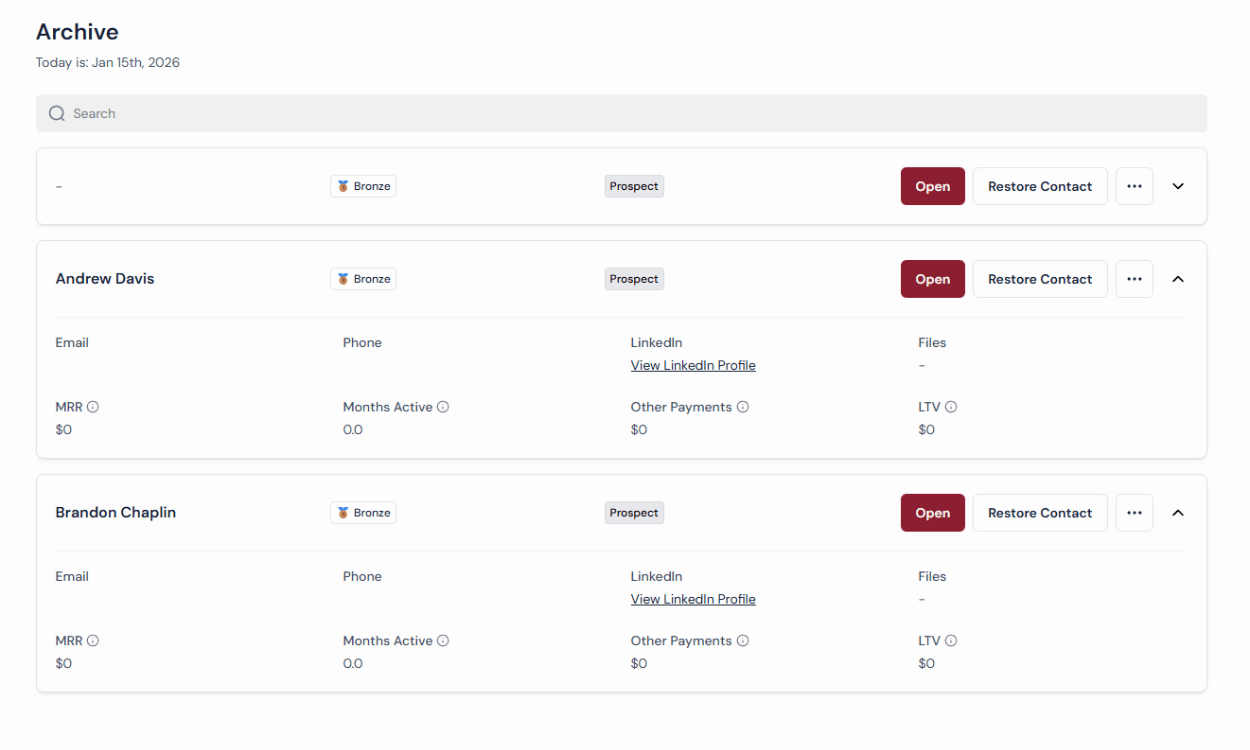
What it is:
→ Storage for “not good fit” contacts
→ Failed pipeline opportunities
→ Contacts you can restore later
Two types:
→ From Prospects: “Not Good Fit”
→ From Pipeline: “Not Good Fit”
Why it matters:
→ Keeps other views clean
→ Allows second chances
→ “Circumstances change – maybe later”
Action:
→ [Restore Contact] → Back to Original Position